
Starting a Team
- Register a Team
- Add Players to Your Team
- Pay Team Fee
- Complete Ratings Form
- Attend Manager’s Meetings
Step 1
Register a Team
Go to the Play Ball! (Registration) page, select your team’s desired division, and create a new team using your login and/or create a new profile.
Step 2
Add Players to Your Team
Rosters do not carry over from previous seasons. You must add or invite players to join your roster. From your team dashboard, you can “Send Invites” by entering the email addresses of players you want to join your team. They will receive an email with a link to register and complete the process.
Notes
- If you need players, email membership@softballaustin.org to see if a pool is available.
- Managers are responsible for ensuring all players have registered, paid the fee, and signed the waiver before the deadline.
- If a player can’t pay online, assist them using a team credit card. No checks accepted.
Step 3
Pay Team Fee
Your registration is not complete until the Team Fee is paid. Invoices are sent at registration and can be paid online through your dashboard.
Step 4
Complete Ratings Form
Open Division
Email ratings to asstcommissioner@softballaustin.org. The form must include all players on your roster.
Ratings may be submitted after the season starts. A ratings clinic will be held — dates to be announced.
- iPride Governing Manual (PDF) (PDF)
- Softball Austin IOG (PDF) (PDF)
- iPride Ratings Questions (PDF) (Google Drive)
- iPride Ratings Guidelines (PDF) (Google Drive)
- Player Rating Change Form (Google Form)
- PIP/ADA Accommodation Form (Google Form)
- Past Season Rosters (Google Drive)
Reference diagrams and field distances:
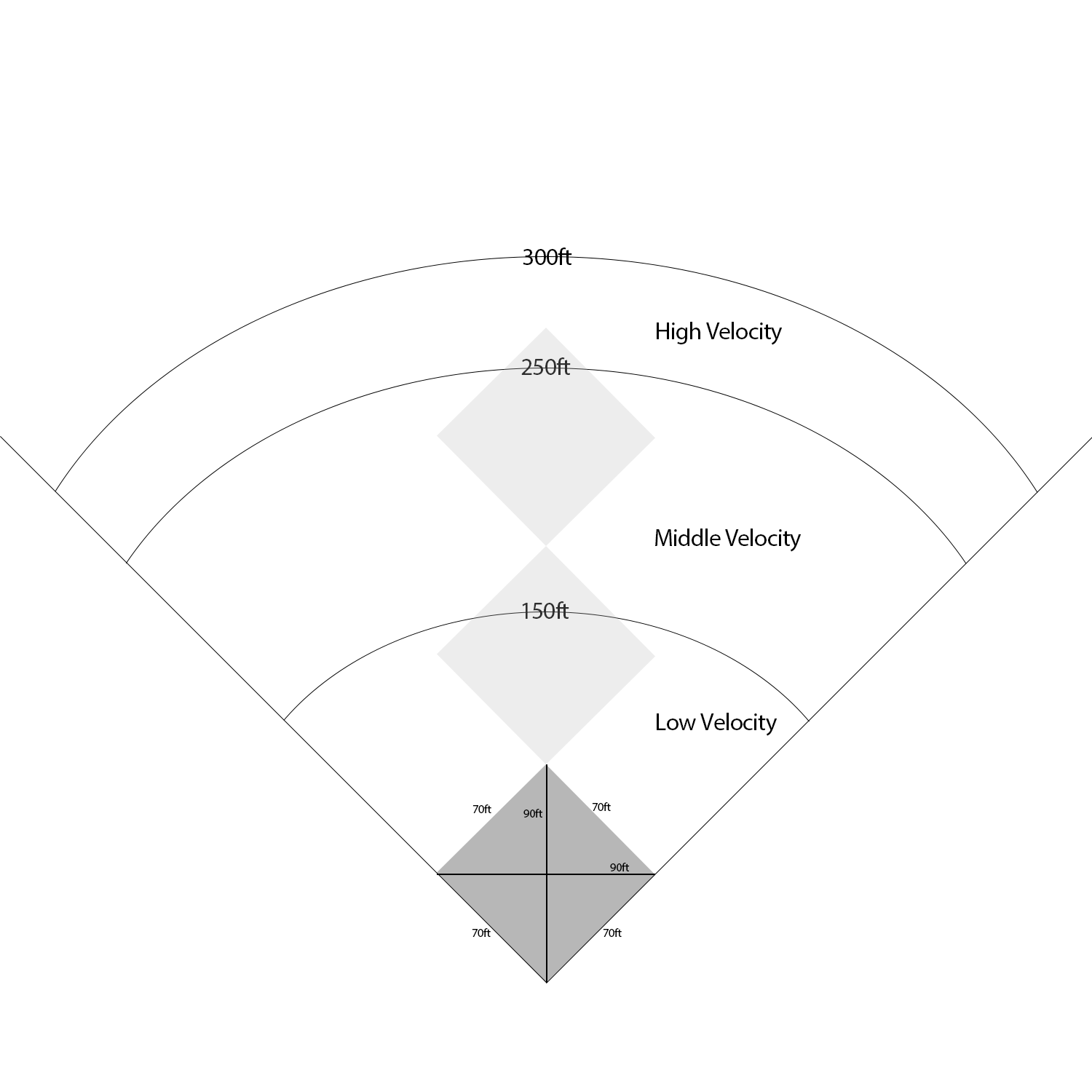
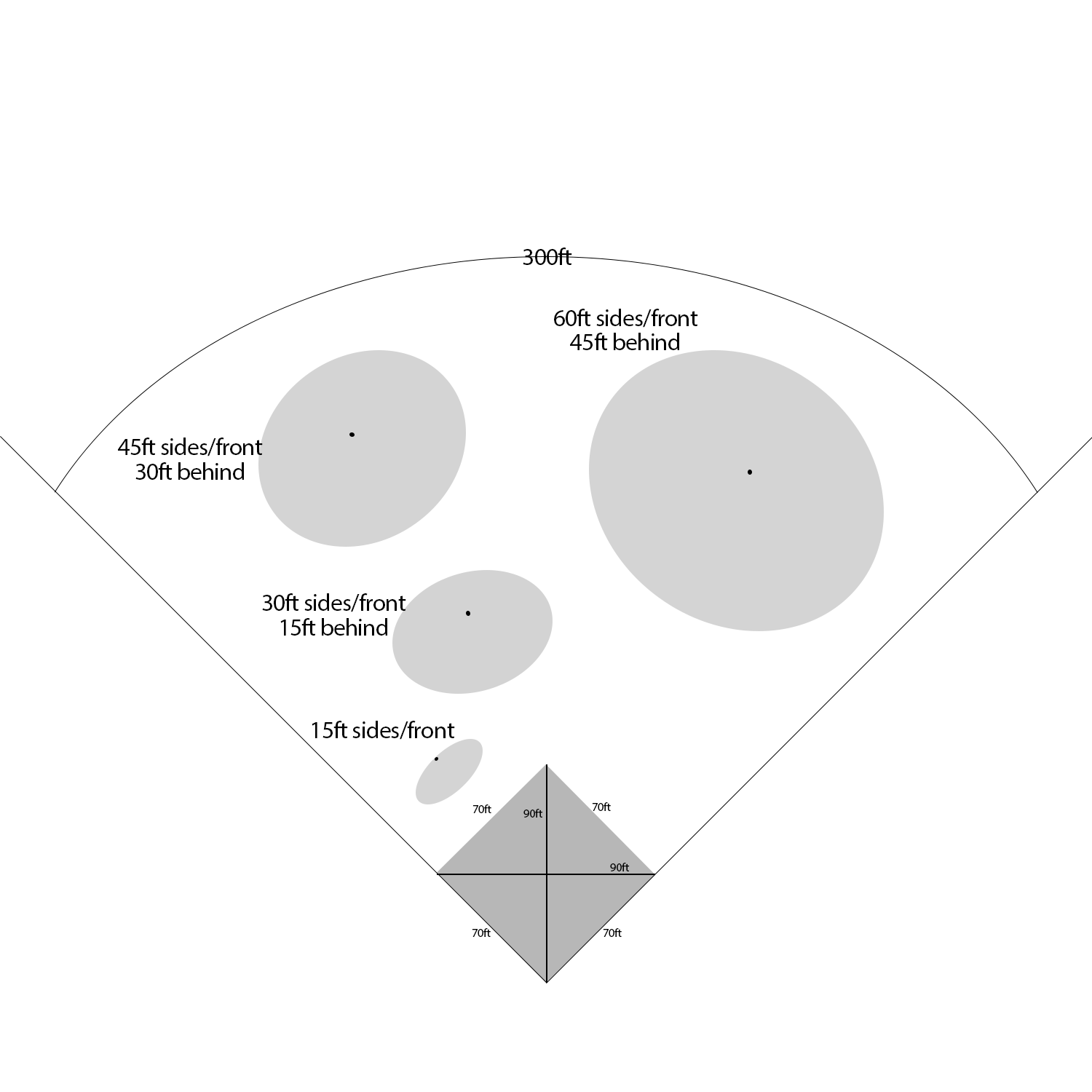

All forms are also available at the Softball Austin Forms page.
Women’s Division
Women’s teams follow ASANA classifications. Email your roster and ratings to womensdivision@softballaustin.org.
- ASANA Ratings Guidelines (PDF) (Google Drive)
- Women’s Division Roster & Ratings Form (XLS) (Google Drive)
Step 5
Attend Manager’s Meetings
Attend periodic Manager’s Meetings to stay up to date. Notices will be emailed. Add your team manager to the email list, or direct questions to secretary@softballaustin.org.
Membership questions go to the membership coordinator through the contact form.